
01 / Basics
What copy trading is
Copy trading means a bot watches another wallet and places the same trades from your wallet, automatically, using rules you set in advance. When the wallet you follow (the leader) buys a memecoin, your wallet buys it too, at your own size. If you choose to mirror sells, your wallet sells when they sell. Memecoin copy trading is popular because these coins can move within minutes of a launch, and a bot reacts faster than a manual user copying.
Dawn is a Telegram copy trading bot: the whole setup below happens inside a Telegram chat with the Dawn bot, and the copies are placed from a non-custodial wallet that stays under your control. It can follow a Solana wallet, an EVM wallet, a fomo trader or a pump.fun trader, and copy them on any of Dawn's supported chains. This post covers how to copy trade on Dawn from opening the bot to reading the results, with the backtest step most people skip.
02 / Open
Open Dawn and go to Copytrade
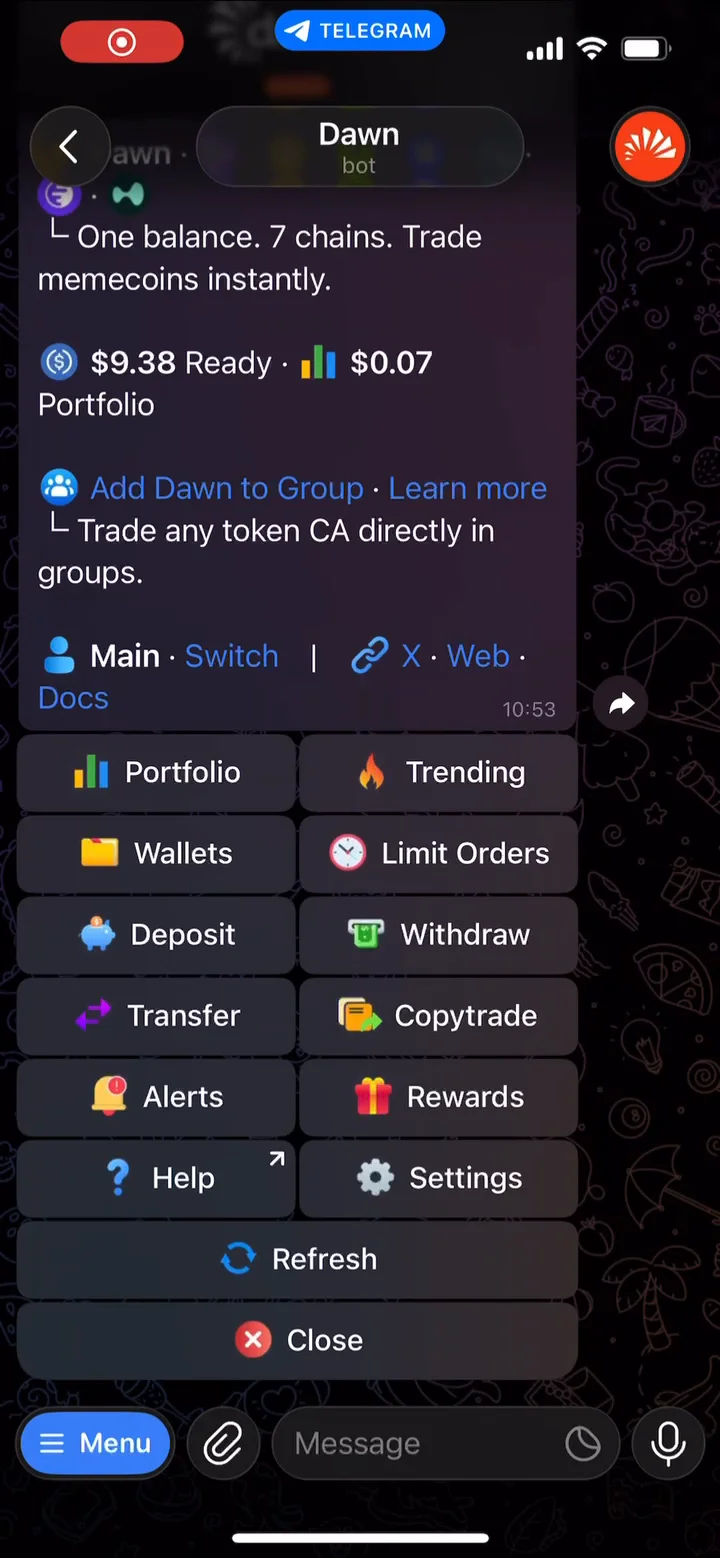
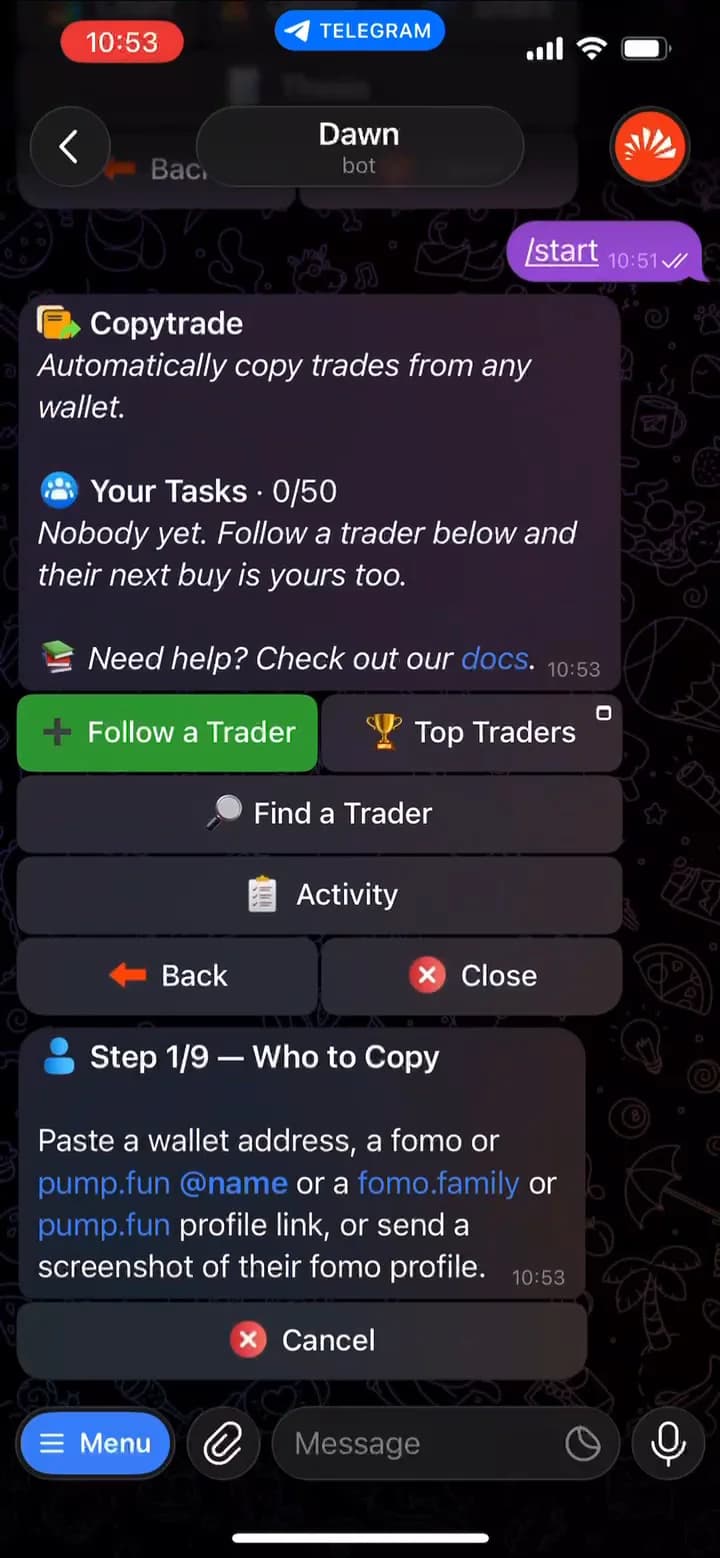
- Open the Dawn bot in Telegram. If you are new, launch Dawn, press Start and deposit any supported token. Dawn converts it to one USDC balance, which is what every copy will spend from.
- Tap
Copytradeon the home screen, or send/copytradein the chat. - The Copytrade page shows Your Tasks (0/50 when you start) and four buttons:
Follow a Trader,Top Traders,Find a TraderandActivity.
Each wallet you follow becomes a task with its own name, size, settings and filters. You can run up to 50 tasks per wallet, one task per trader on each wallet.
03 / Follow
Add or paste a wallet to follow
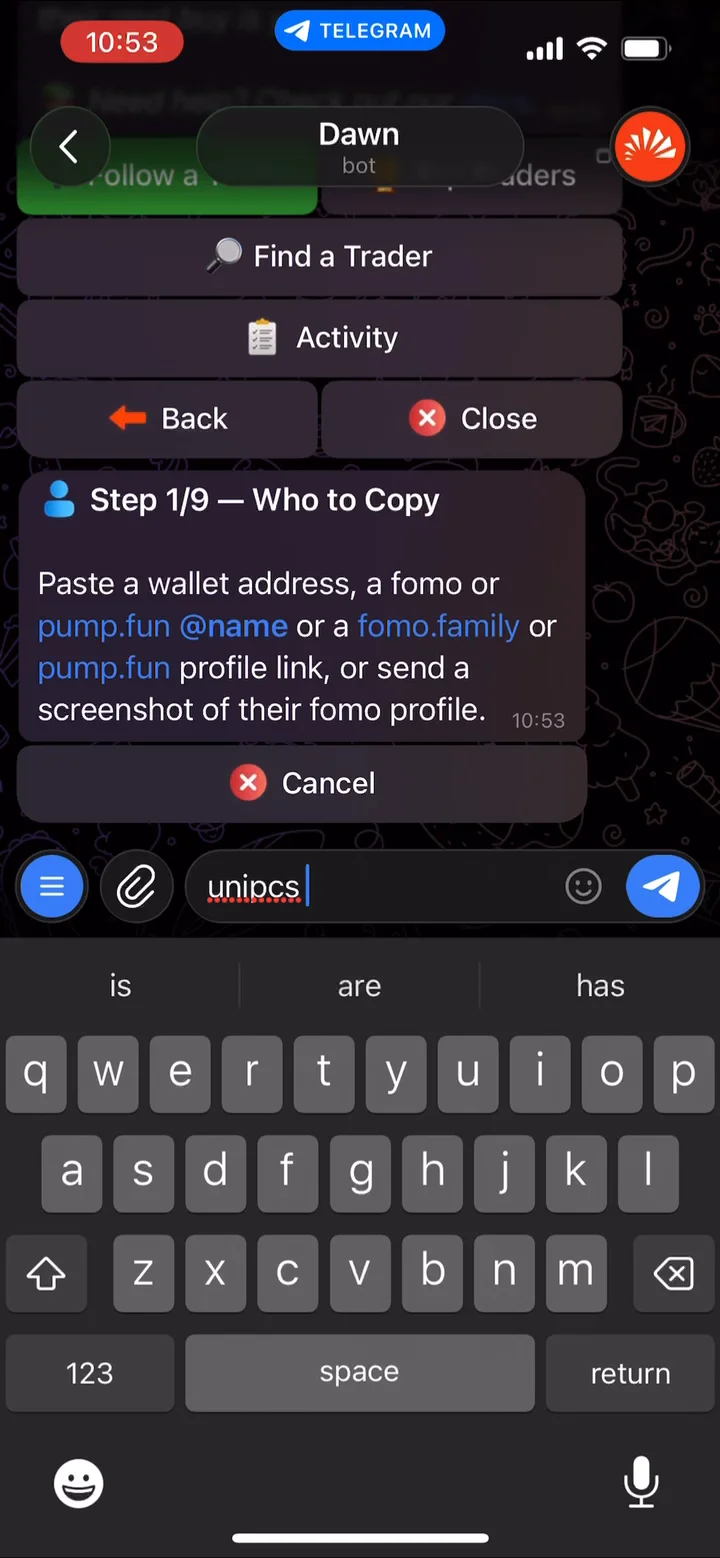
Tap Follow a Trader. The setup has nine steps, and step 1 asks who to copy. Paste one of:
- A Solana wallet address.
- An EVM wallet address (starting
0x). Dawn then asks which chains to copy it on. - A fomo trader: their
@handle, fomo.family profile link, or a screenshot of their profile. They are copied on every chain they trade. - A pump.fun trader: their profile link or username.
Name the task
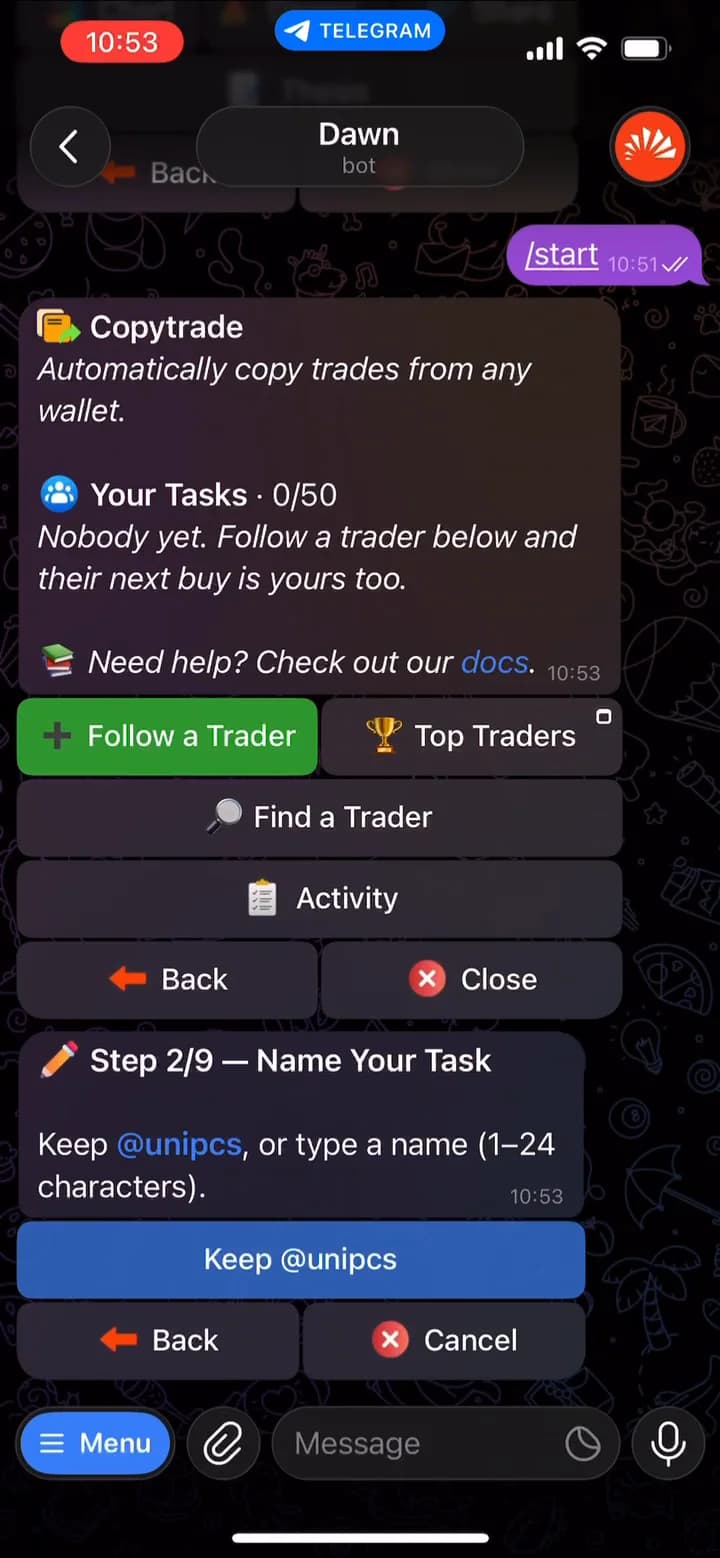
Step 2 names the task: tap Keep @handle, or type a name of 1 to 24 characters. If you have made a task before, Same as Last Time reuses its settings and skips the remaining steps.
Not sure who to copy yet? Use Find a Trader or Top Traders first. That is where Dawn's backtest lives, and it is the next step.
04 / Backtest
Backtest the wallet before you copy it
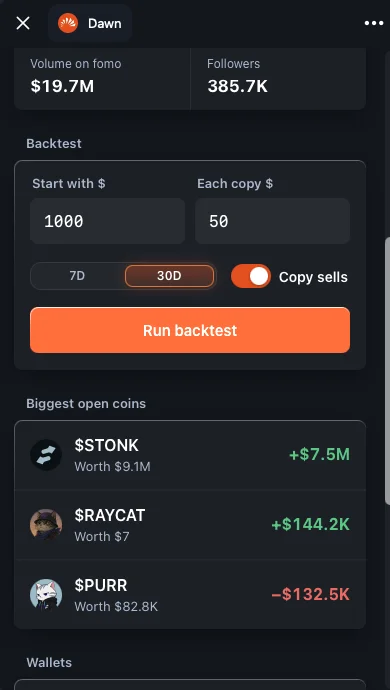
Before you activate a task, check what following this wallet would actually have looked like. On the Copytrade page, tap Top Traders. It opens the fomo and pump.fun leaderboards inside Telegram, ranked by profit over 7 days, 30 days or all time. Tap a trader to see their stats and run a backtest. The backtest replays that trader's recent buys as if you had been copying them, using four inputs:
- Start with $: the balance you begin the simulation with. $1,000 unless you change it.
- Each copy $: what every copied buy spends. $50 unless you change it. Set this to the size you really plan to use.
- Window:
7Dor30D. Run both. A trader who only looks good on one window is less consistent than one who holds up on both. - Copy sells: on or off. On replays their exits too; off shows what their entries alone were worth. Then tap
Run backtest.
The result tells you how the trader's historical trading, scaled to your copy size, would have performed over that window. That is a different question from the headline PnL on their profile, which reflects their own sizes, their own entry prices and whatever they still hold. When you are ready, Copy trader takes you back to Dawn with the setup already filled in.
If you are looking at a plain wallet address rather than a fomo trader, paste it into the chat. Any wallet that has traded in the last 30 days shows its trading record, including its Realized PnL, the profit it actually banked by selling.
05 / Wallet
Choose which Dawn wallet makes the trades
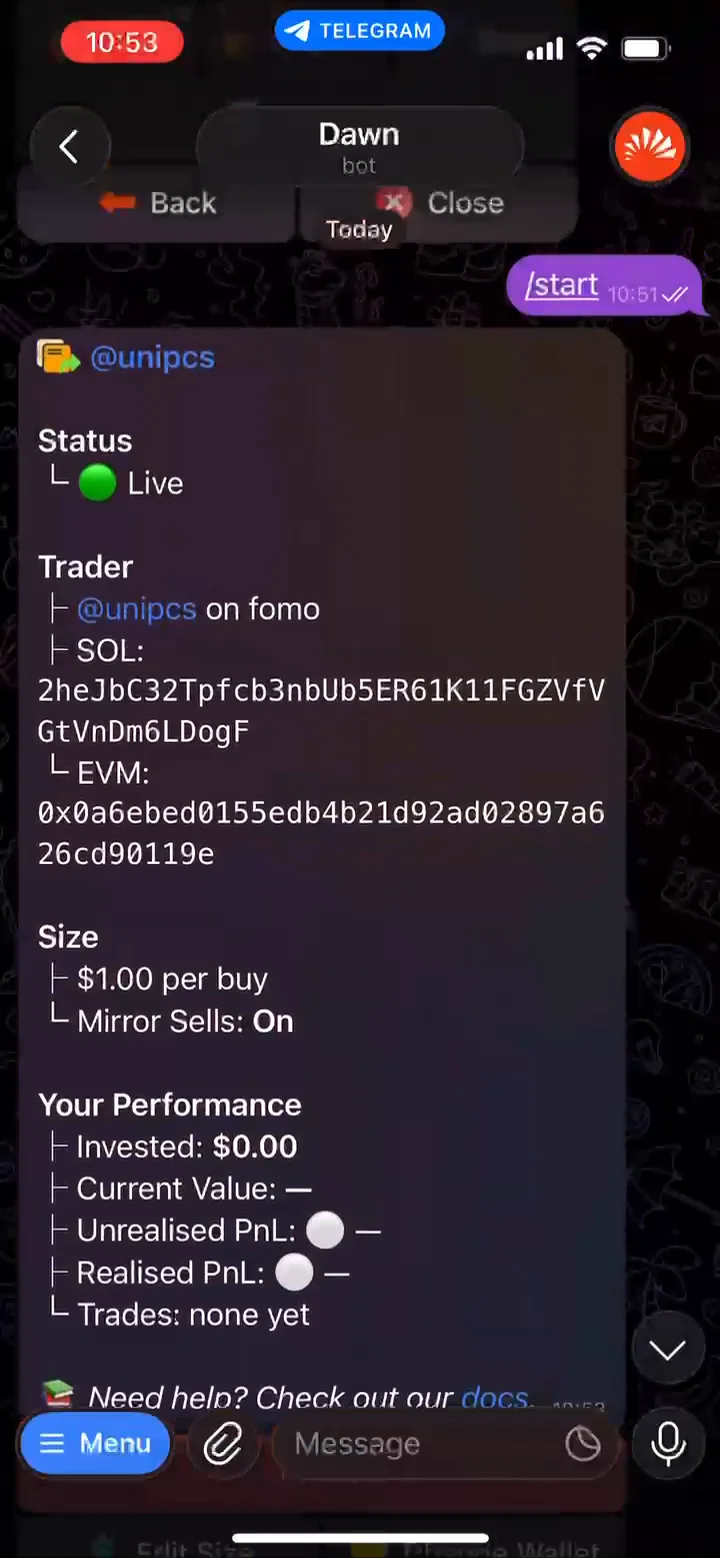
Every copy task buys from the Dawn wallet you created it on. Dawn supports up to 5 wallets per profile and up to 5 profiles, so check the home screen before you start: the wallet name sits next to Switch, and Wallets lets you change the active one. Make sure that wallet holds the USDC you want the task to spend; copies under $1 are skipped, and a copy the balance cannot cover is skipped too.
You can also move a task later. Open it from your task list and tap Change Wallet to point it at another wallet in any profile. Coins the task already bought stay in the wallet that bought them.
06 / Sizing
Choose your trade sizing
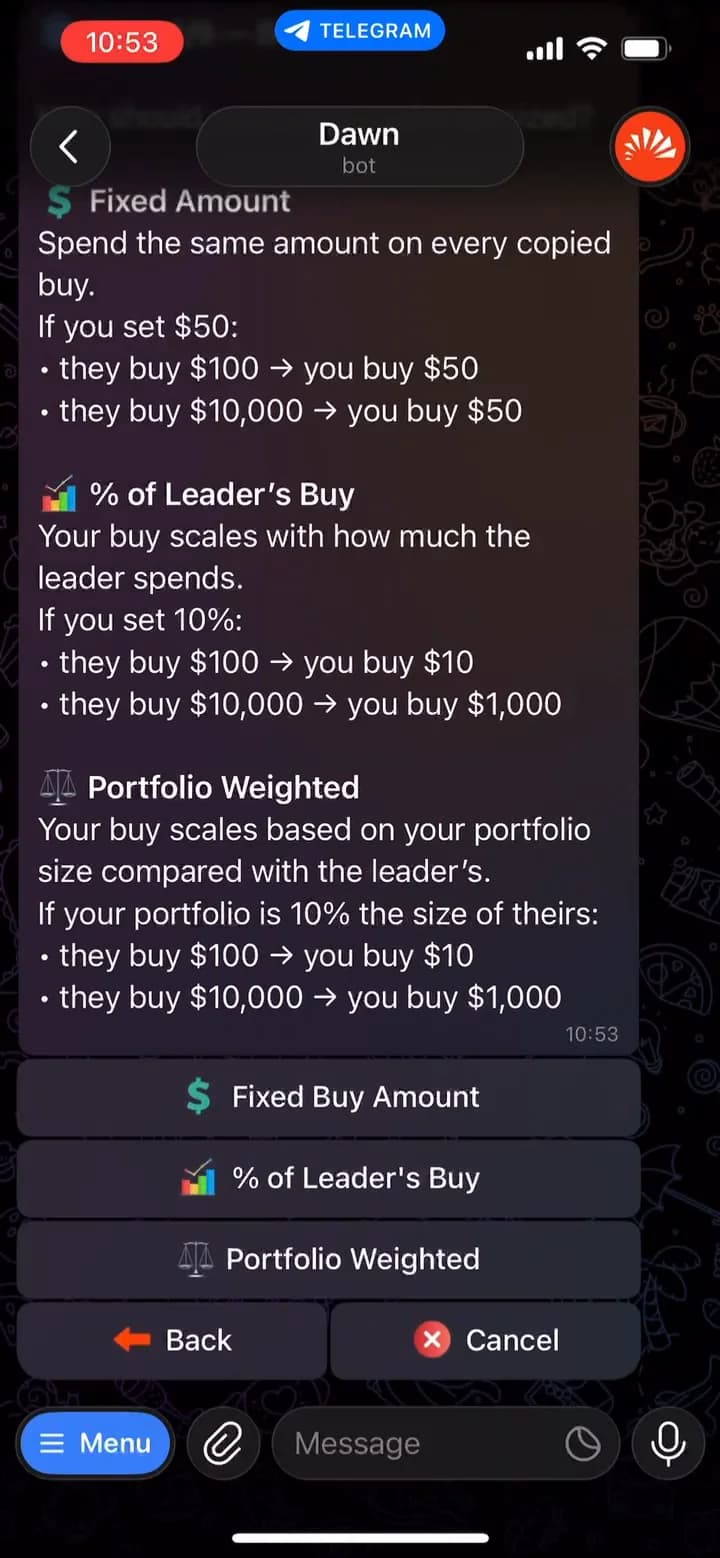
Step 3 asks how much each copy should spend. Dawn offers three modes:
- Fixed Amount: the same dollar amount on every copied buy, no matter how much the leader spends. Step 4 offers $1, $5, $10, $25, $50 or a custom amount.
- % of Leader's Buy: your buy scales with how much the leader spends. At 10%, a $100 buy becomes $10 for you and a $10,000 buy becomes $1,000.
- Portfolio Weighted: you put in the same share of your portfolio as the leader put in of theirs, scaled by a ratio you pick. If your portfolio is 10% the size of theirs, their $100 buy becomes $10 for you.
Trade sizing examples
| Sizing mode | You spend when the leader spends | |
|---|---|---|
| $100 | $10,000 | |
| Fixed Amount$50 per copyBest for a predictable spend on every copy. | $50 | $50 |
| % of Leader's Buy10% of their buyBest for following their conviction, with a cap. | $10 | $1,000 |
| Portfolio Weighted1x ratio · your portfolio is 10% of theirsBest for matching their position size, relative to your portfolio. | $10 | $1,000 |
Or your Max per buy, if that is lower.
Dawn's own Portfolio Weighted example: the leader puts 5% of their $40,000 into a coin. You have $800, so you put in 5% of yours, $40. At a 2x ratio, it is $80.
For the two scaling modes, Dawn then asks for a Max per buy: the most one copy can spend. A bigger copy is cut down to it. You can add a Min per buy later from the task page, which raises a smaller copy up to it. A fixed-amount task has no minimum.
07 / Buys and sells
Choose how Dawn copies buys and sells
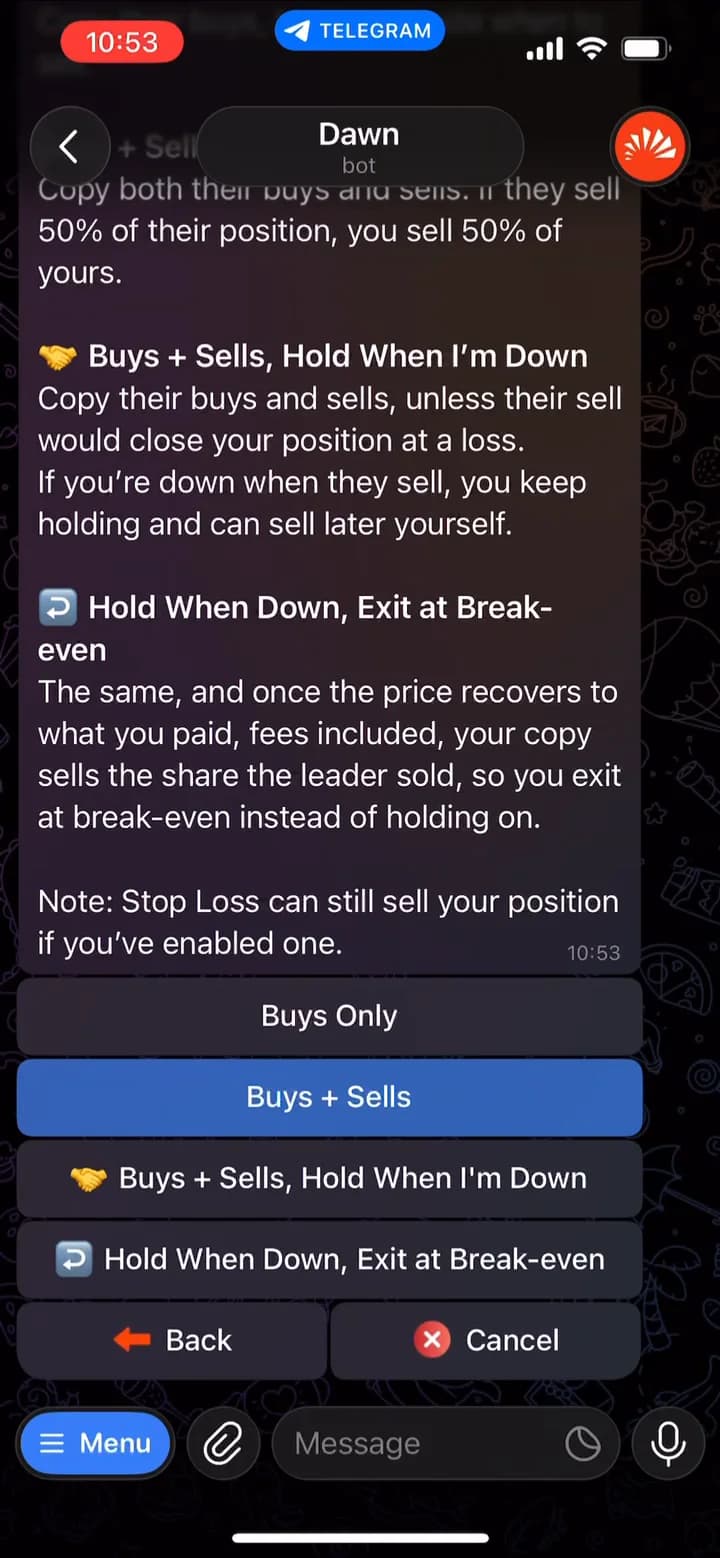
Buys are copied the same way in every mode. When the leader buys a coin, Dawn places the same buy from your wallet at your size, as long as the coin passes your filters and the price is still within your slippage. Sells are where you choose. Step 5 offers four options:
- Buys Only: Dawn never sells for you. You exit when you want, from your portfolio or with your own take profit and stop loss.
- Buys + Sells: you sell the same share the leader sells, in profit or at a loss. If they sell 50% of their position, you sell 50% of yours.
- Buys + Sells, Hold When I'm Down: you sell with them while you are in profit. If you are down when they sell, you keep holding and can sell later yourself.
- Hold When Down, Exit at Break-even: the same, and once the price recovers to what you paid, fees included, your copy sells the share the leader sold, so you exit at break-even instead of holding on.
The two hold options never sell at a loss for you, so pair them with a stop loss, which can still sell your position if you have enabled one. Sells are never filtered, and you can change this later under the task's Settings (Mirror Sells and Hold if Down).
What Dawn tells you while it copies
You get a message when a copy
- Fills
- A buy or sell went through.
- Fails
- Nothing was bought or sold, and your USDC is back on your balance.
- Is skipped
- For example because of a filter or not enough balance.
- Is missed
- The price had already run past your slippage before the copy could fire.
Limit at Leader's Entry on the message for a 24-hour limit buy at the price the leader paid, or turn on Limit Order On Miss in the task's settings to do it on every miss.08 / Risk controls
Set your risk controls
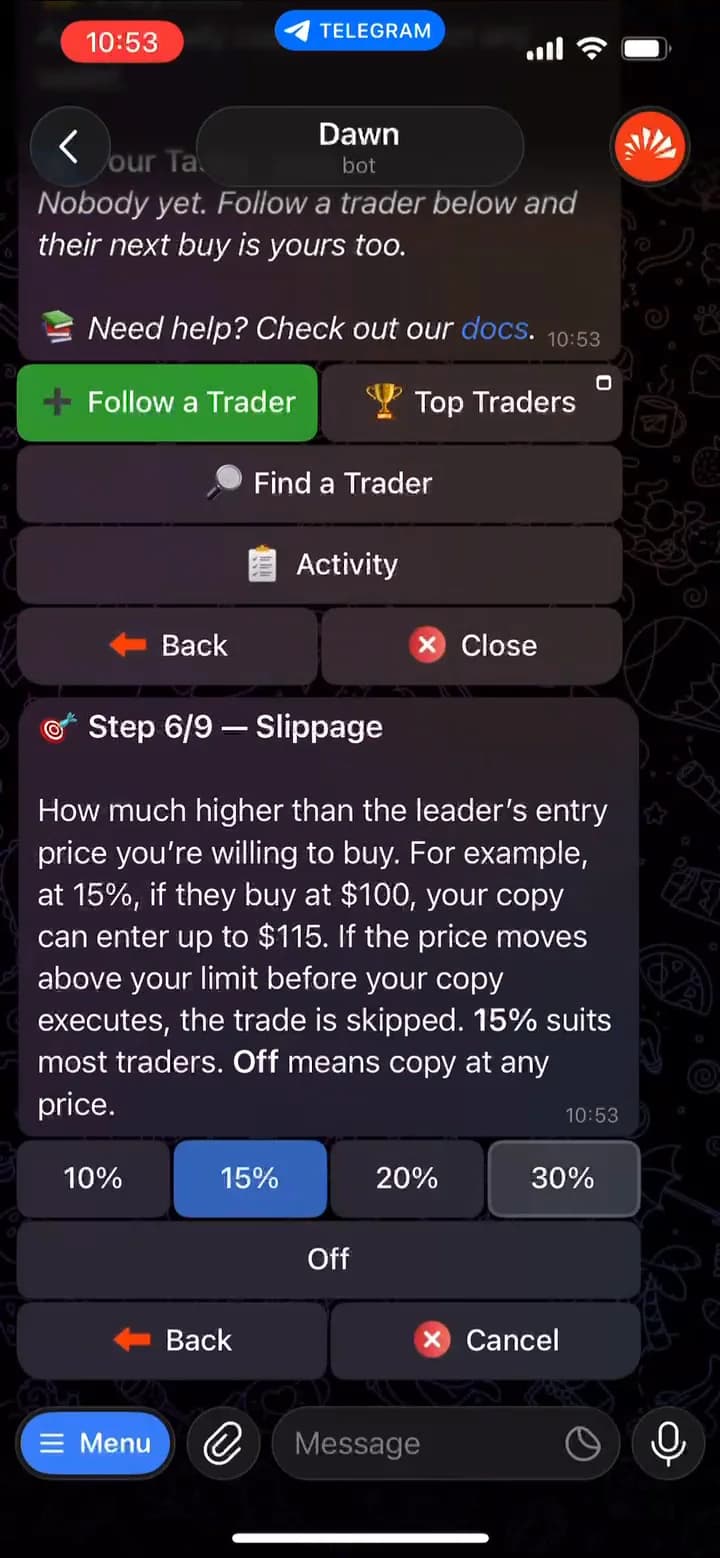
Slippage
Step 6 sets how much higher than the leader's entry price you are willing to buy. At 15%, if they buy at $100 your copy can enter up to $115. If the price has already moved above that limit when your copy is about to execute, the trade is skipped and reported as missed. This is your real protection against buying the top of a spike the leader caught early.
Your optionsHoverTap one for details
- 10%The tightest limit. If they buy at $100, your copy can enter up to $11015%Suits most tasks. If they buy at $100, your copy can enter up to $11520%If they buy at $100, your copy can enter up to $12030%The loosest limit. If they buy at $100, your copy can enter up to $130
- OffNo price limit: your copy buys at any price, however far it has run past the leader's entryCopies at any price
Stop loss
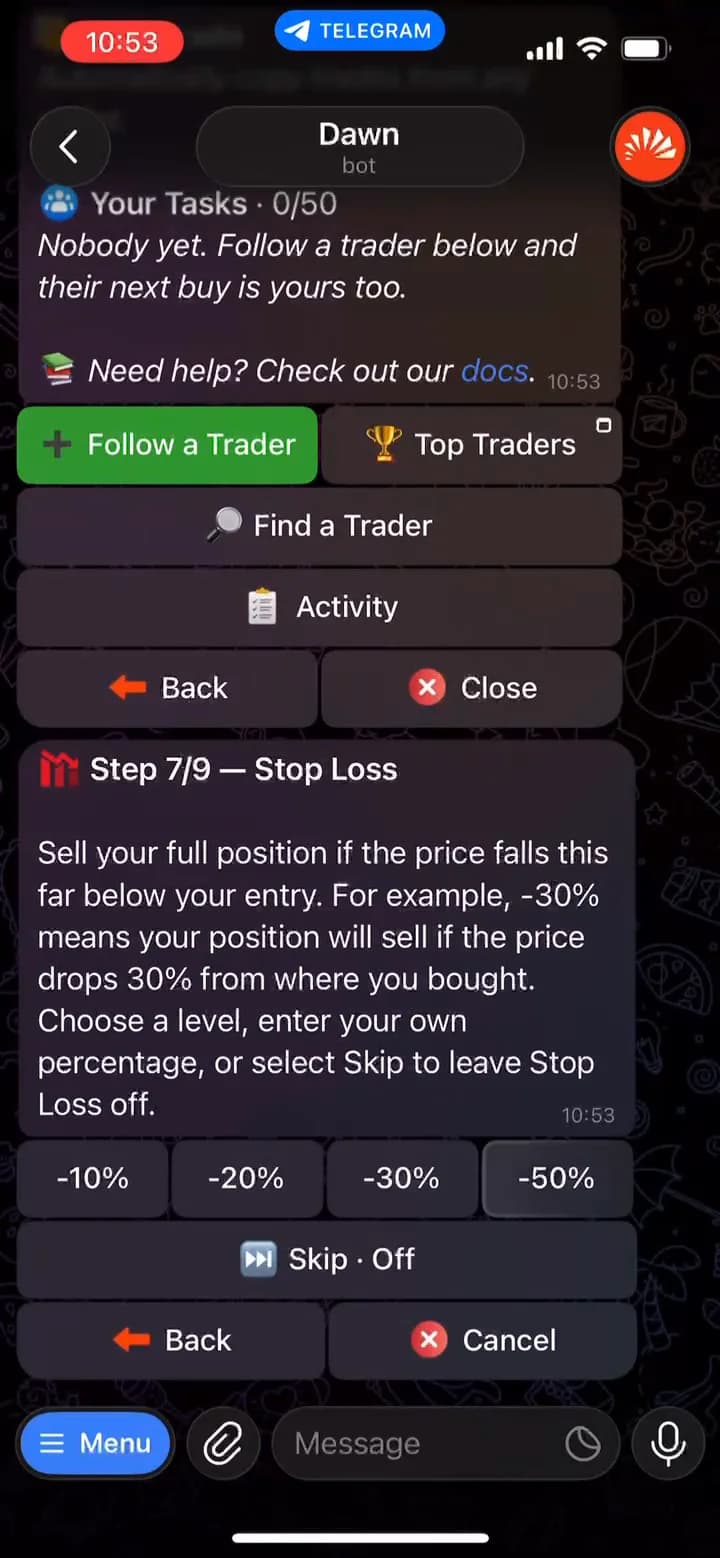
Step 7 sets a stop loss: if the price drops a set percentage below what you paid, Dawn sells your whole position. Your choice applies to every buy the task makes.
Your optionsHoverTap one for details
- -10%Sells everything if the price falls 10% below what you paid-20%Sells everything if the price falls 20% below what you paid-30%Sells everything if the price falls 30% below what you paid-50%Sells everything if the price halves from what you paid
- Or type any percentage, for example25Send your own percentage as a message. 25 sells if the price falls 25% below what you paid.
- Skip · OffNo stop loss: the task never sells a position because the price fellLeaves stop loss off
Take profit
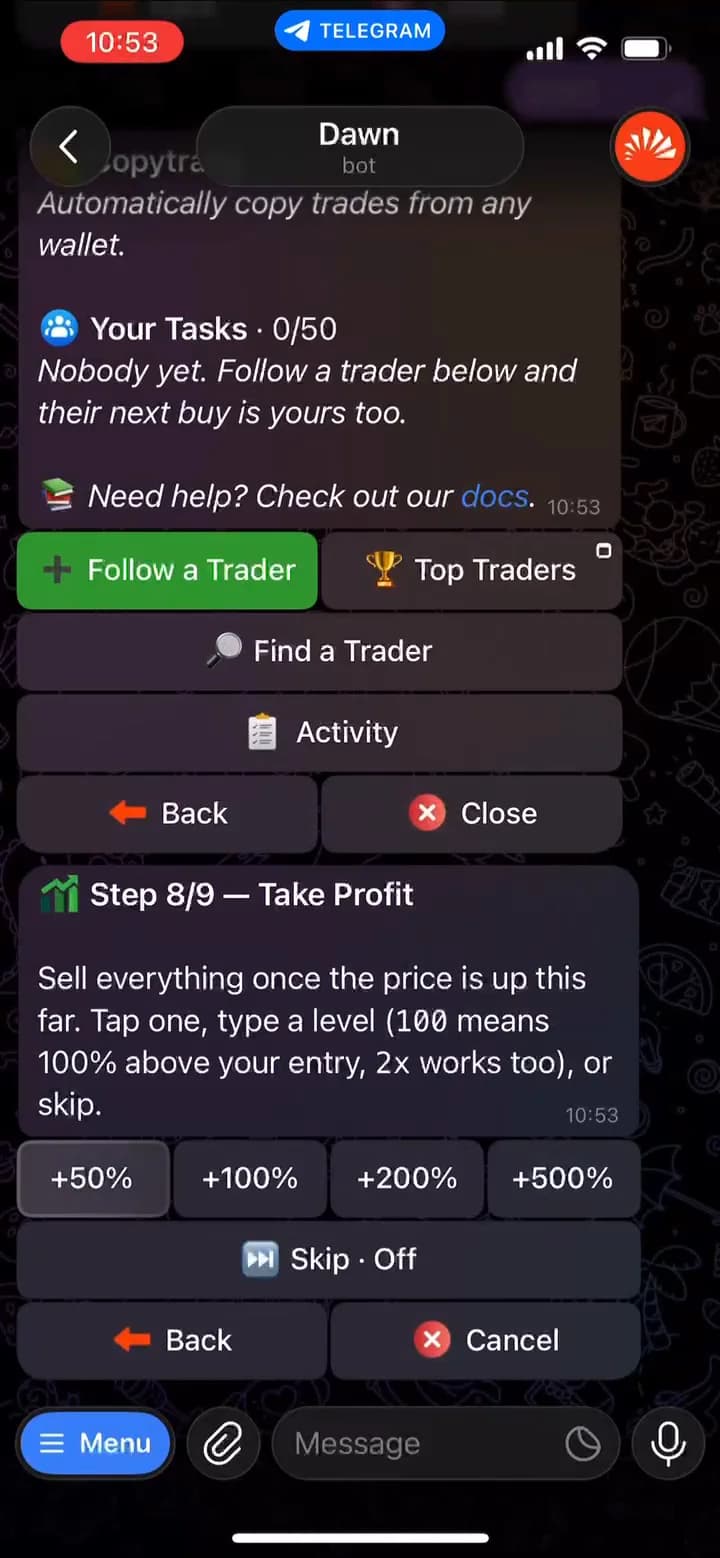
Step 8 sets a take profit: once the price rises a set percentage above what you paid, Dawn sells your whole position. Both auto-sell levels can be changed later under Settings → Auto Sell.
Your optionsHoverTap one for details
- +50%Sells everything once the price is 50% above what you paid+100%Sells everything once the price doubles (2x) from what you paid+200%Sells everything once the price triples (3x) from what you paid+500%Sells everything once the price is 6x what you paid
- Or type any level, for example100Send your own level as a message. 100 means 100% above what you paid.2xMultiples work too. 2x sells once the price doubles from what you paid.
- Skip · OffNo take profit: the task never sells a position because the price roseLeaves take profit off
Minimum market cap
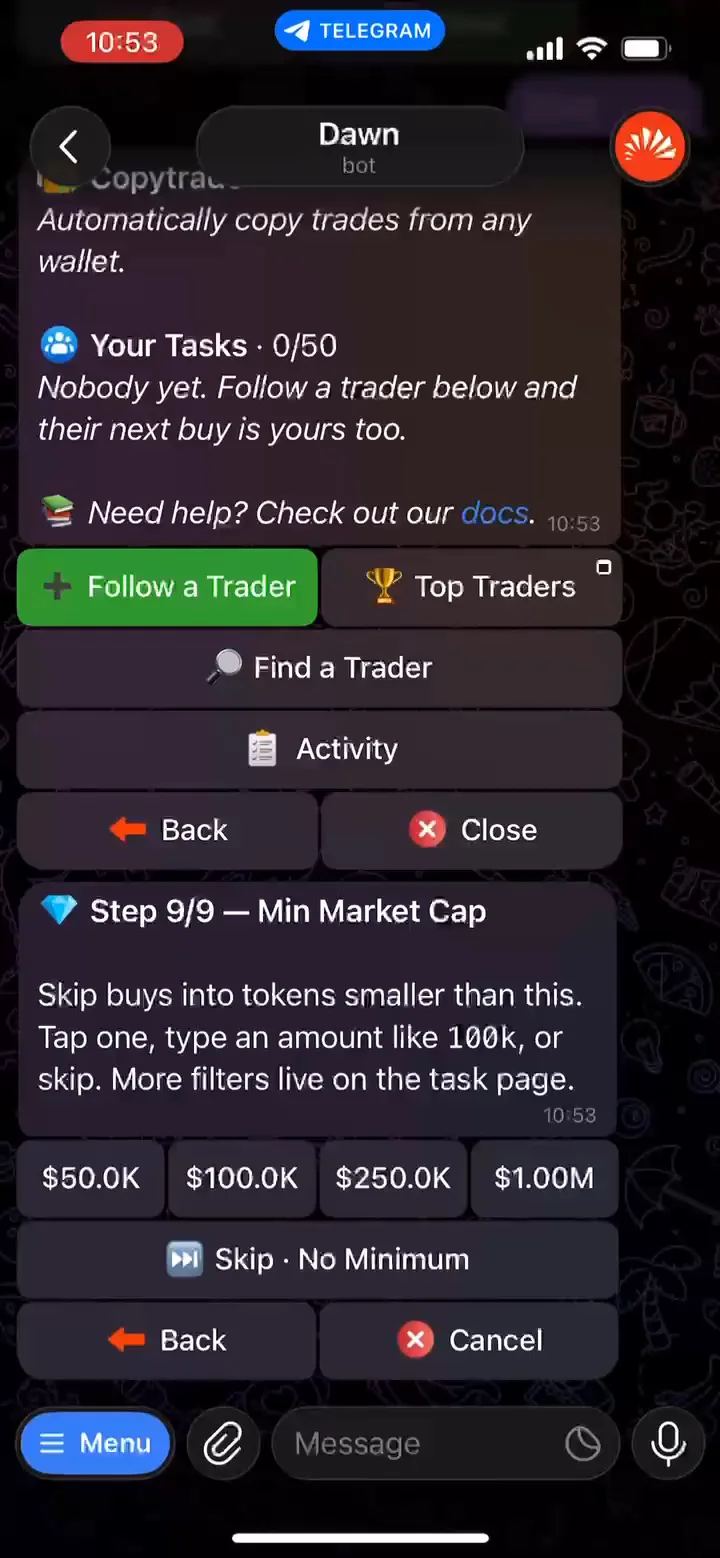
Step 9 sets a minimum market cap: if the leader buys a coin worth less than this, your copy skips it.
Your optionsHoverTap one for details
- $50KSkips buys into coins worth less than $50,000$100KSkips buys into coins worth less than $100,000$250KSkips buys into coins worth less than $250,000$1.00MSkips buys into coins worth less than $1,000,000
- Or type any amount, for example100kSend your own amount as a message. 100k sets a $100,000 minimum.
- Skip · No MinimumNo market cap filter: the task copies buys into coins of any sizeCopies coins of any size
Built-in protections
- MEV protection is on by default on Solana, routing copies through a private lane so a bot cannot sandwich your buy.
- Liquidity protection refuses any buy that would move the price by more than 30%, even at 100% slippage.
- Max and Min per buy keep a scaled copy inside a range you choose, so one oversized leader buy cannot drain the wallet.
09 / Go live
Review and start the copy-trading task
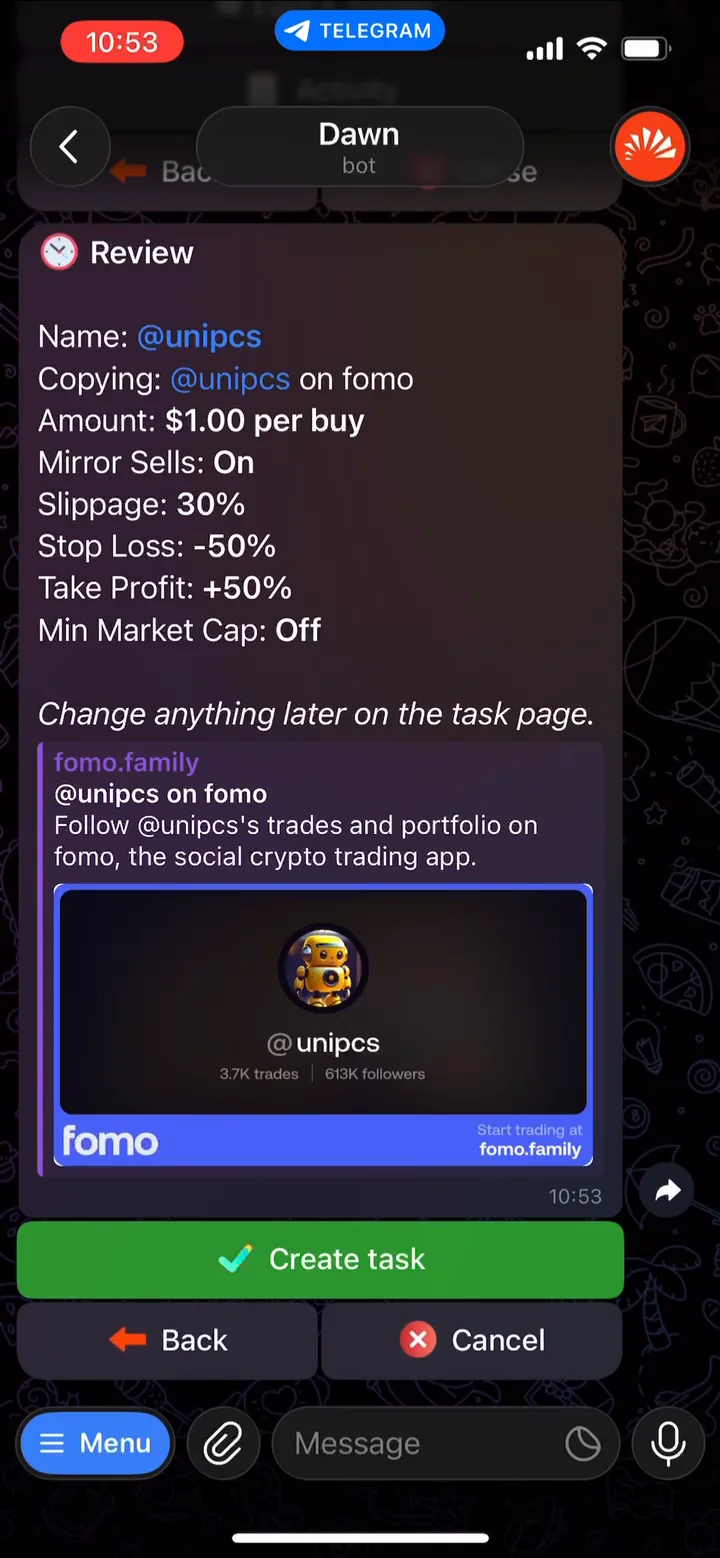
After step 9 Dawn shows a Review of every choice you made. Check it, then tap Create task. Copying starts right away; the leader's next buy is yours too. Anything here can be changed later on the task page.
What the review shows
- Name
- Step 2 · what the task is called
- Copying
- Step 1 · the trader you follow
- Amount
- Steps 3–4 · what each buy spends
- Mirror Sells
- Step 5 · whether you sell with them
- Slippage
- Step 6 · max price above their entry
- Stop Loss
- Step 7 · sells if the price drops
- Take Profit
- Step 8 · sells if the price rises
- Min Market Cap
- Step 9 · skips coins smaller than this
10 / Manage
Pause, edit or delete the task
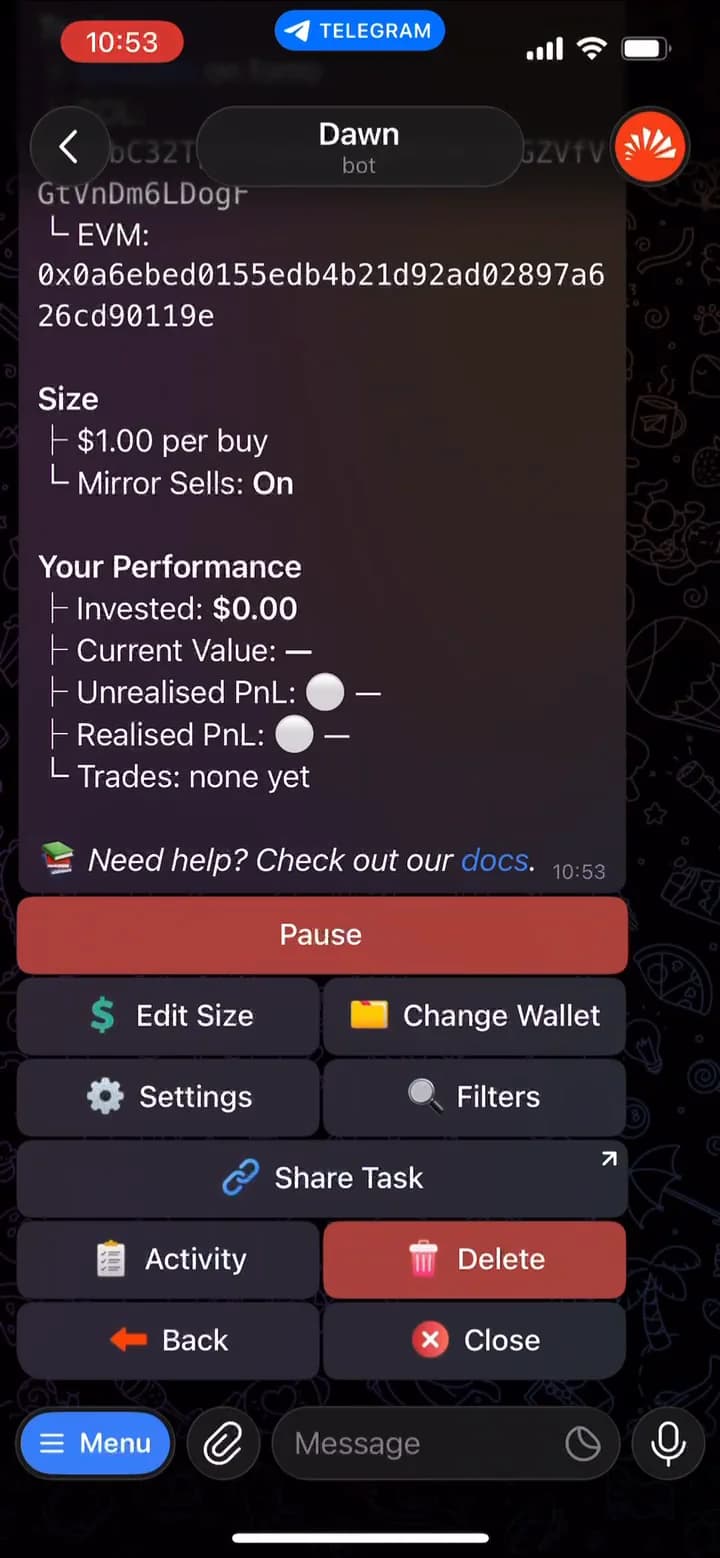
Send /copytrade to see every task across all your wallets and profiles, then tap Manage on one to open its page.
On the task page8 buttons
- PauseStops new copies. Nothing you hold is sold.
- Edit SizeAmount, sizing mode, and Min and Max per buy.
- Change WalletMoves the task to any of your wallets, in any profile.
- SettingsSells, slippage, MEV, gas, stop loss and take profit, for this task only.
- FiltersFull listWhich of the leader's buys get copied.
- Share TaskA link that starts someone's own setup with this trader.
- ActivityResultsEverything the task did, including skips and why.
- DeleteRemoves the task. Your positions stay put.
Coins a task bought are ordinary positions in your portfolio: pausing, moving or deleting the task never sells them. Under Settings you also get Hold if Down, Limit Order On Miss and, for fomo traders, the Chains it copies on. Default there means the task follows your profile's setting; change it and only this task changes.
11 / Filters
Add filters: market cap, liquidity, volume, holders and age
Filters decide which of the leader's buys the task copies. Open the task and tap Filters. Copying starts the moment the task is created, so set these straight away, or Pause the task first and resume it once they are in place. MC Min already holds what you picked in step 9.
Skips a buy when
- MC Min
- Market cap is below your minimum
- MC Max
- Market cap is above your maximum
- Liq Min
- Pool liquidity is below your minimum
- Vol 24h
- 24-hour volume is below your minimum
- Holders
- Holder count is below your minimum
- Top 10
- The top ten wallets hold more than your limit
- Age Min
- The coin is younger than your minimum
- Buy Min
- The leader spent less than your minimum
- First Buys Only
- The leader already holds it (an add or re‑entry)
- First Buy Wins
- You already hold it from another trader's buy
A buy that fails a filter, or a coin with no data for it yet, is skipped and logged in the task's activity with the reason. Sells are never filtered. Age Min and Liq Min are the two that keep a task out of brand-new and thin coins without stopping it from copying real moves.
12 / Results
Check activity and results
There are three places to read how a task is doing. PnL in Dawn is always shown net of fees.
01The task page
/copytrade→ManageYour Performance: invested, current value, unrealised and realised PnL, and trades. Only this task's coins count.
02Task activity
Activityon the task pageEverything the task did, newest first, including skipped and missed copies and why. On the task list it covers every task.
03Account activity
/activityorActivityin the portfolioYour last 200 closed positions with realised PnL, filterable by wallet, chain, wins or losses, or coin.
13 / Conclusion
Conclusion
Copy trading on Dawn comes down to two decisions: who you follow, and the rules every copy has to meet. Dawn handles the speed. How much each copy spends, which coins it will touch and when it sells are yours to set, and you can change any of them later from the task page.